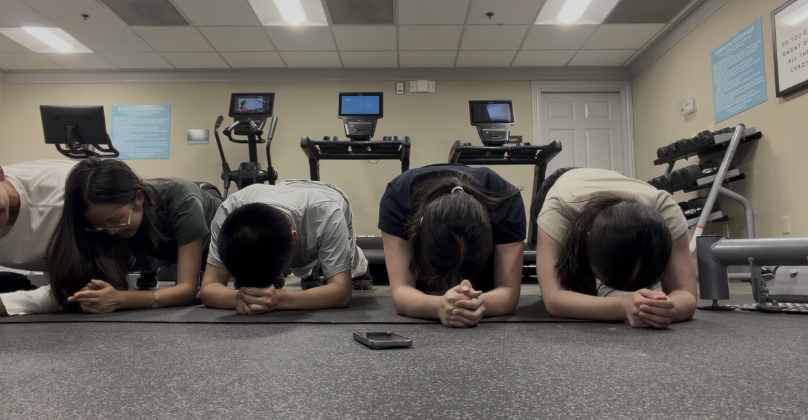


Before Alex Yang (‘27) walked into an Honors Precalculus quiz, his study routine felt a bit incomplete. After the quiz, he and his classmates jokingly described feeling mentally drained and “reaped” — a term so fitting that the period’s group chat was renamed “The Reaped” later that day.
The thing missing? Flint: an Artificial Intelligence (AI) study tool that Alex uses for his preparation. While Math Teacher Dr. Santiago Camacho had offered Flint activities for almost all assessments last semester, he paused them for a recent quiz because some students felt stretched between completing standard homework and the optional AI practice.
For students like Alex who have relied “pretty heavily on Flint throughout the year,” the absence of completing a Flint activity before the quiz made him “feel much more nervous.”
“[Having Flint] definitely would have been immensely helpful to me,” Alex said.
Back in 2024, Flint rose to the top in Bishop’s search for an AI tool that “teachers could use and experiment with in the classroom,” explained Mr. Brian Ogden, the Assistant Head of School for Curriculum and Academics, who heads the Flint program. It arrived at Bishop’s as a small pilot in November 2024, as part of “a broader effort to bring structured AI tools into classroom instruction and support differentiation and personalized feedback for students,” Mr. Ogden said.
In August 2025, the academic department chairs and the IT department decided to expand Flint to the entire school after feedback from the teachers who participated in the pilot. Since August, all teachers have been given access, and Bishop’s has hosted a workshop at the beginning of the year for teachers who want to use it — and Mr. Ogden said he has already seen “full departments and teams experiment with it in different ways.”
Dr. Camacho was one of the teachers who participated in the early Flint pilot. “My Honors Calculus students wanted more practice than the worksheets I could give them,” he said. Flint then became “an easy way to produce more practice for them.”
In the 2025-2026 school year, Dr. Camacho has created 24 Flint Honors Precalculus activities, with more than 500 different sessions created by students — chats focused on a topic with the AI assistant “Sparky” — from those 24 activities.
For Dr. Camacho, the teacher dashboard of Flint is also helpful. On it, he can track cumulative activity of entire periods and analytics like the number of total sessions created over a period of time, or go into individual students’ sessions to see areas of strength and improvement, and the specific messages they exchanged with Sparky. “It’s nice that you can see what the students do,” he said. “You can flag things like, ‘Hey, this is a common misconception that a lot of students are doing.’”

Still, Dr. Camacho acknowledged that, while Flint can be helpful, it’s not perfect. “[The students] need to know that it makes mistakes,” Dr. Camacho said. “[But] as they are critically thinking about the responses that the AI gives them, they should be okay.”
For some students, that trade-off is worth it. “Flint helps me understand Dr. Camacho’s Precalc much better,” Alex said. “It offers feedback that provides much more value than just a packet with an answer key.” Because of how crowded Dr. Camacho’s office hours are with people asking different questions, Alex noted that Flint “provides a really great opportunity for you to analyze questions deeply.”
In the humanities, Flint can be prompted to serve as a conversation partner, trained to ask questions that guide students’ thinking.
For example, in History Teacher Dr. Will Peter’s Global Issues class, students had to determine whether a border was open or closed. The catch? Dr. Peters trained it to give appropriate feedback and ignore direct questions, such as “Is this border open?” Instead, students had to ask investigative questions: “Would I need a visa to cross this border?” or “Is this country landlocked?”
Not everyone is a fan. Lydia McDonald (‘28), who takes U.S. History with Dr. Peters, found Flint redundant and annoying. In a U.S. History Civil War assignment, Dr. Peters had incorporated a Flint activity that acted as a research guide: “It asks you all these questions, and you’re not able to answer them,” she said. “You’re basically guessing.” When Flint doesn’t give you the answers, Lydia said she had to “Google it and find those actual sources and then analyze them to see if there’s anything worthy in them. And sometimes there’s not. So then you just spent an hour of your life for nothing.”
“[Something about Flint that] I like, but students don’t like, is that I can really prep it to accept or reject certain responses and guide student thinking,” Dr. Peters said. “[But] sitting with that discomfort…that’s where the learning takes place.”
“I don’t just want people to throw a question into ChatGPT and get a regurgitative response… it removes the labor-intensive part of critical thinking,” Dr. Peters explained. “Flint helps me put a little bit of that back in.” With classes of more than 15 students, providing constant one-to-one feedback is hard — and Flint, acting as a “research assistant” for students.
Ronik Gupta (‘27), having used it in both his math and humanities classes, sees the AI working better for more “subjective subjects” like English. While the AI was helpful in Honors Precalculus because it gave “a bunch of practice questions on what we’re learning,” when his class received a 100-problem cumulative practice set on Flint, he ran into a problem that cost him a point on his real cumulative. “[Some] of the answers were wrong,” Ronik said, pointing to calculation errors made by the AI.
During a pilot with English Teacher Ms. Laine Remignanti, Ronik found that rather than rewriting his essays, Flint offered suggestions on how to improve. While Ronik noted that “it saves a teacher’s time talking to every single student,” Ms. Remignanti’s focus was on “whether it could help students revise their writing without cutting off the struggle and critical thinking that learning requires.”
The ability to sustain these conversations isn’t exactly “new” technology. Dr. Camacho, who has experience building his own computational systems inspired by human brains, describes it as a specialized “skin” — or a K-12-tailored version of underlying LLMs (Large Language Models). Such LLMs include Claude Sonnet 4, which has already partnered with five universities, and ChatGPT’s Dall-E 3, an AI text-to-image generator.
While classroom technologies that work this closely with students invite privacy and data protection concerns, fortunately, Flint is safe to use. According to Mr. Ogden, “Compared to generic AI tools and free chatbots… Flint does not use student or teacher interactions to train AI models.”
Flint is compliant with the Children’s Online Privacy Protection Act (COPPA), which prevents companies from collecting personal information from students under 13 without verifiable parental consent; and the Family Educational Rights and Privacy Act (FERPA), which ensures chat messages and academic records aren’t sold or shared with third parties without written consent.
The AI tool also aligns with the General Data Protection Regulation (GDPR) of the European Union (EU) — one of the world’s strictest consumer privacy and data security laws that includes over 100 pages of text meant to “establish protections for privacy and security of personal data about individuals,” according to the University of Pittsburgh.
Currently, Flint is still in its early stages at Bishop’s. “It is early to draw meaningful conclusions about its impact on teaching or learning,” Mr. Ogden said. “At this stage, we’re focused on allowing teachers time to explore the platform, experiment with it so see how it fits with their curriculum, and develop greater comfort and mastery.”